
How a manual finance app works
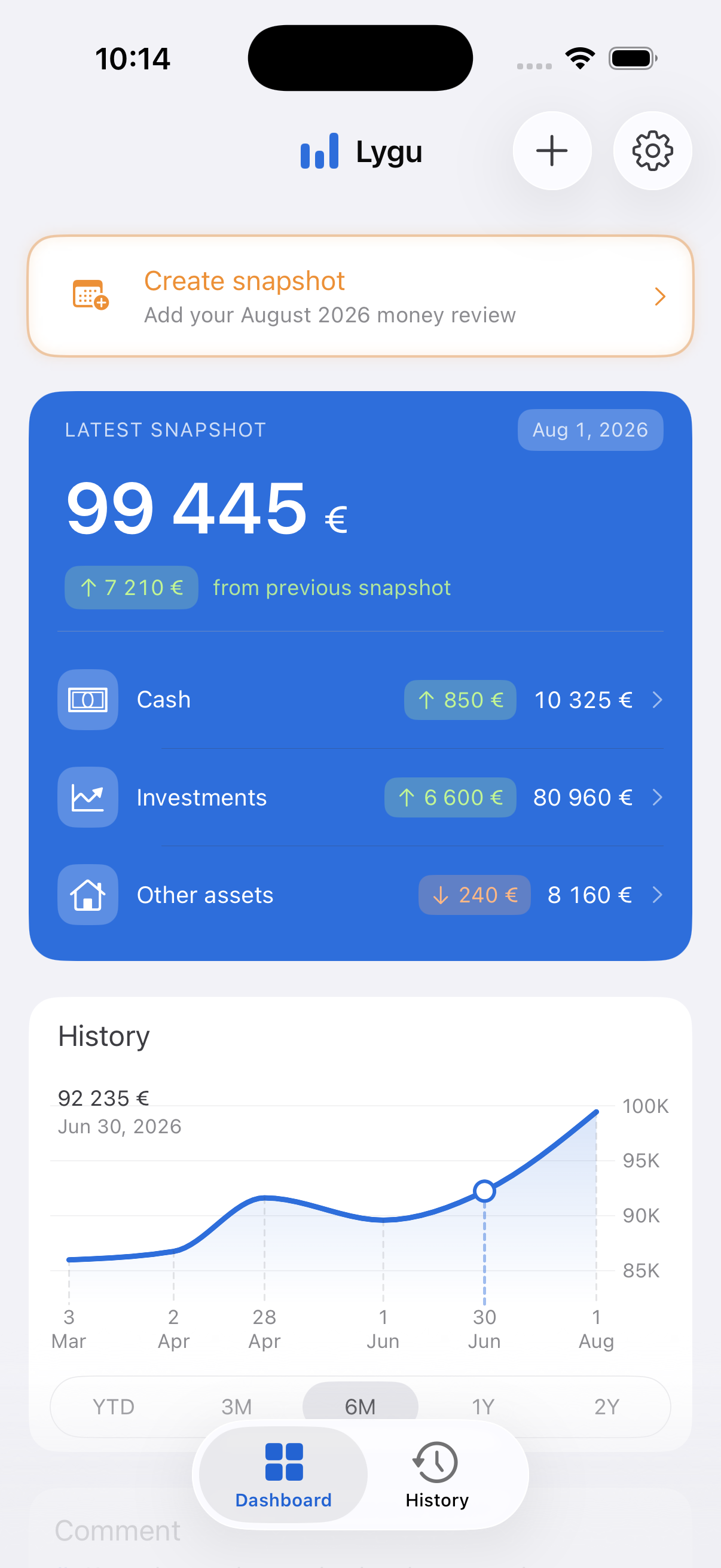
Instead of importing transactions, you open each account you want to include and enter its current balance. You might do this for cash accounts, investments, debts, and other assets. The app stores that moment as a snapshot.
When you return later, the next snapshot can be compared with the previous one. This makes changes visible without giving the app credentials or permission to fetch account activity.
What you gain without bank syncing
Control over what is included
You decide which accounts and assets belong in your review. An account can stay outside the app entirely if it is not useful to the picture you want to maintain.
Fewer external connections
The app does not need an ongoing connection to your financial institutions. There are no broken bank feeds to repair and no dependency on whether a particular bank is supported.
A deliberate check-in
Entering a handful of balances creates a natural moment to notice the numbers. Automation saves effort, but it can also make a finance app easy to ignore. Manual entry can be part of the reflection rather than mere administration.
The tradeoffs are real
A manual app is not automatically better or more secure in every respect. You still need to assess how the app stores data, whether it uses analytics, what it exports, and what happens when you delete your records.
You also give up automatic transaction categorisation, real-time balances, alerts based on bank activity, and effortless account reconciliation. Your snapshot is only as current and accurate as the values you enter.
No bank connection does not mean no data processing. Always read the privacy policy. Lygu stores entered financial records locally and uses limited privacy-preserving usage analytics, described in its policy.
Questions to ask before choosing an app
- Does it require an account, or can you use it directly on your device?
- Where are financial balances and notes stored?
- Does the app send analytics, diagnostics, or other usage information?
- Can you export your records in a useful format?
- Can you delete all stored financial data yourself?
- Does its routine match how often you realistically want to check your money?
How Lygu handles your review
Lygu is a private iPhone app for a focused monthly money review. It requires no Lygu account and offers no bank connection. You manually create snapshots of cash, investments, debts, other assets, and income, then compare them over time.
Entered financial records are kept in a local database on the phone. Lygu Pro provides JSON and CSV export. The app also includes a delete-all-data control. Limited usage analytics are handled separately from the raw balances, income, notes, and item names you enter.
Your part, and Lygu’s part
- Read your balances.
Open your bank or investment provider yourself. Lygu does not ask for those login details. - Enter a snapshot.
Add current cash, investment values, outstanding debts, and other assets. Include income and investment contributions or withdrawals for the period. - Review the calculation.
Lygu totals the categories and compares net worth and balances with the previous snapshot. A spending estimate needs an earlier monthly baseline and complete income. - Repeat next month.
Update the values manually. An old snapshot stays a record of that date, not a live view of your bank.
For example, five accounts mean looking up and updating five balances; you do not have to enter every transaction in those accounts. The first setup may take longer than the regular review.
Common questions
Will it work with my bank?
There is no bank integration to support or configure. If you can read a balance, you can enter it manually. Lygu does not verify that balance with your bank.
Are balances updated automatically?
No. Update them during each review. Lygu cannot alert you to a bank transaction it has not received.
Can I export or delete my data?
JSON and CSV export require Lygu Pro. The app also has a delete-all-data control. Files you choose to share are handled by the destination you select.
Does “no bank connection” mean no analytics?
No. Entered financial records are stored locally, while TelemetryDeck receives usage analytics. Read the privacy policy for the distinction.
See the whole picture once a month.
Learn what a monthly snapshot includes and what the comparison can reveal.
Read the monthly review guide